
SHAREit
SHAREit is a free Windows app from the SHAREit Team for moving photos, videos and documents between a PC and a phone. The current version is 5.1.0.7.
22.7 MB

1.0.7 Build 8 · FadiRixi · Page updated
APK Downloader is a small free Windows tool by FadiRixi for saving Android app packages (APK files) to a PC.
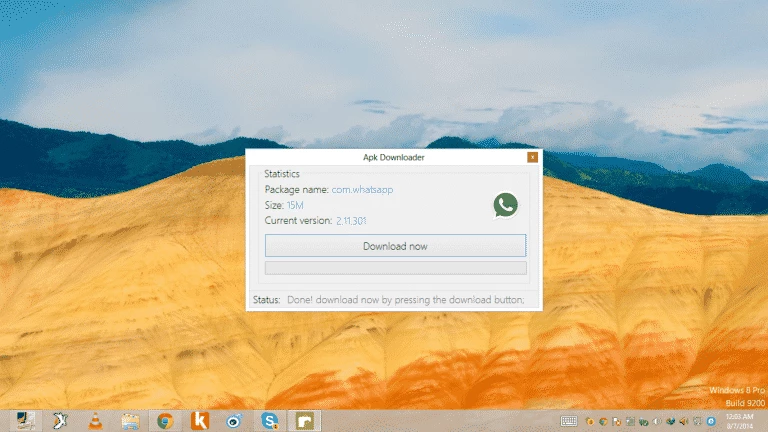
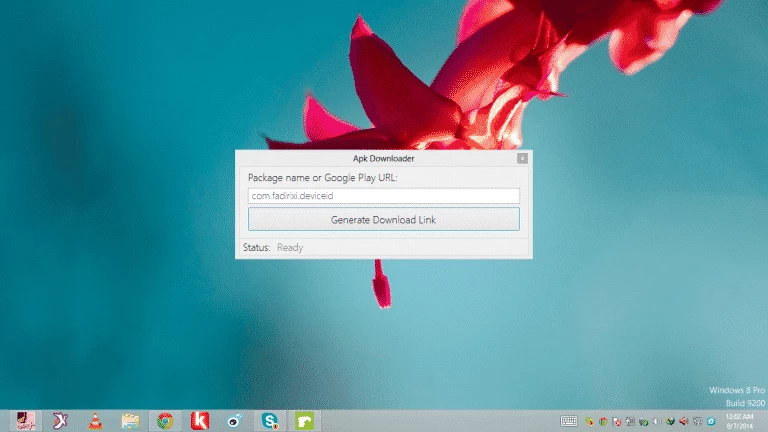
APK Downloader 1.0.7 Build 8 for Windows is a free utility from the developer FadiRixi for saving Android app packages to a computer. People download it when they want an APK file on the PC, for example to install an app on a phone without Google Play or to keep a copy of a specific version.
An APK is the installation file of an Android app. Normally Google Play downloads and installs it for you, and you never see the file itself. A downloader for Windows reverses that: you give it the name or address of an app, it fetches the package, and you end up with a file you can copy to a phone, an Android emulator or an archive. That is handy in a few situations. Testers and developers compare builds on several devices. Owners of phones without Google services need a way to get popular apps. And people with a slow or metered connection on the phone sometimes prefer to download once on a PC over a faster line and then copy the file by cable. The tool itself is a simple desktop program, so there is little to learn: enter the app, pick a folder and wait for the download to finish.
No official requirements are published for this version. A current, updated Windows installation and a stable internet connection are all a small utility like this needs in practice.
This is the most important part. The developer does not run a verified official page for the program, so be careful where you obtain it and scan the installer with your antivirus before running it. The same applies to every APK you download: files that did not come from the developer's store listing can be modified. Prefer apps whose developers publish the package themselves, compare the app name and publisher with the store listing, and never install "unlocked" or "premium" versions of paid apps. After installation, check the permissions the app requests and revoke anything that does not make sense.
APK Downloader is freeware; there is no paid edition listed.
If you mainly need a reliable download manager for large files, Free Download Manager and JDownloader are in the same category.
SHAREit is a free Windows app from the SHAREit Team for moving photos, videos and documents between a PC and a phone. The current version is 5.1.0.7.

Zapya for Windows is a free file transfer app from DewMobile for moving files between a PC and phones over a local wireless connection.

Easy Connection to Screen is Samsung's Windows app for showing a PC's screen on a compatible Samsung TV over a wireless connection.

4K Video Downloader Plus is a Windows program from Open Media for saving online videos, playlists and audio for offline use, with a free mode and paid licences.

Internet Download Manager (IDM) is a shareware download manager for Windows from Tonec that accelerates, resumes and schedules downloads.

uTorrent (μTorrent) is a small BitTorrent client for Windows from Rainberry (BitTorrent Inc) for downloading and sharing files over torrents.

AnyDesk is a remote desktop application for connecting to and controlling another computer over the internet, from a small Windows program.

ShareMe is Xiaomi's free app for sending files between devices without a cable; on Windows the Android app runs only inside an emulator.